The Convenience of Amazon Pickup Locations: A Comprehensive Guide
What Amazon Pickup Locations are, how Lockers and Counters work, how to send an order to one, and how to find pickup spots near you or along your route.
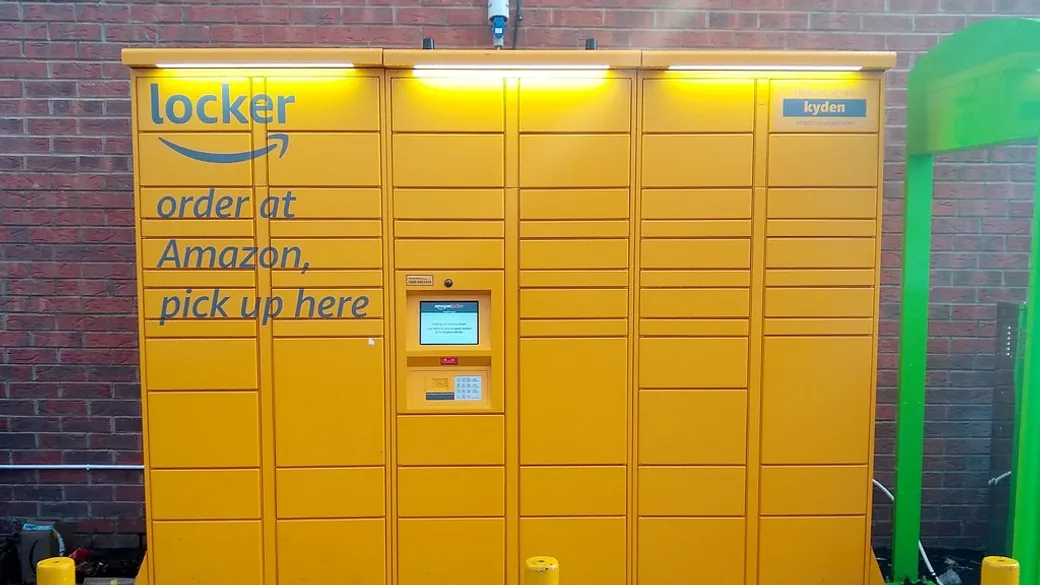
Stop hunting for lockers.
See Amazon Lockers, Counters, and more pickup points along your route on one map. Always free.
Amazon Pickup Locations let you send an order to a secure spot and collect it yourself instead of having it left at your door. They’re handy for anyone who’d rather not leave a package sitting on the porch, or who isn’t reliably home to receive one. This guide covers what they are, how they work, how to send an order to one, and how to find them near you or along your route.
What are Amazon Pickup Locations?
Amazon Pickup Locations are places where you collect your Amazon orders instead of having them delivered to your home. There are two main types:
- Amazon Lockers: self-service kiosks in spots like grocery stores, shopping centers, and gas stations. You open a compartment with a code to grab your package. Lockers are best for smaller items (here are the size limits).
- Amazon Counters: staffed pickup desks at retail partners like pharmacies and convenience stores, where an employee holds your package. Counters take larger items than Lockers.
Whichever you use, the idea is the same: your order waits securely until you come get it.
Why use a pickup location?
A few reasons they beat leaving a package on the doorstep:
- Security: your order sits in a locked kiosk or behind a counter, not on a porch where it can be stolen or rained on.
- Flexible hours: many locations are open late or around the clock, so you pick up on your schedule.
- No missed deliveries: nothing to sign for and no redelivery to reschedule. The package is there when you are.
- No fixed address needed: if you’re on the move, you can receive orders without a home address to ship to.
Who they’re for
Just about anyone who orders from Amazon can use a pickup location. They’re especially worth it if:
- You’re worried about package theft. A locked kiosk or staffed counter keeps your order out of reach of porch pirates, which is the most common reason people use them.
- You’re not home when packages arrive. If you’re at work all day or out often, your order waits safely instead of sitting outside or bouncing back as a missed delivery.
- You don’t have a secure spot at home. Apartment and condo dwellers without a doorman or safe entryway get a reliable drop-off.
- You live or work on the road. Truckers, RVers, van lifers, and full-time travelers can receive orders without a permanent address and pick them up along their route or at truck stops.
How to use an Amazon Pickup Location
The smartest way to start is on LockerMap: it maps Amazon Lockers and Counters anywhere, near you, along a route, or in a city you’re traveling to. Amazon’s checkout only lists spots near an address you type in, so LockerMap lets you scout wherever you need, then add the one you want to your Amazon address book in a tap. From there:
- Select your pickup location at checkout: choose to deliver to an Amazon Pickup Location and pick the spot you saved. You can also search at checkout directly, but you’ll only see spots near the address you enter.
- Place your order: check out as usual, and you’ll get a confirmation with the pickup details.
- Wait for the notice: when your package arrives, Amazon emails or texts you a pickup code or QR code.
- Collect it: at a locker, enter the code or scan the QR at the kiosk. At a counter, show the code to the associate.
Common challenges (and easy fixes)
Pickup locations are simple, but a few things trip people up:
- Finding the nearest one: it’s not always obvious where your closest Amazon pickup point is. LockerMap maps every Amazon Locker, Counter, and pickup point so you can find one near you or along your route.
- A package too big for a locker: Lockers have size limits. For bigger items, choose a Counter instead.
- Access hours: some spots aren’t open around the clock, so check the hours before you plan a pickup.
Frequently asked questions
- How long do I have to pick up my package? About 3 calendar days at an Amazon Locker, and up to 7 at an Amazon Counter, counted from when you’re notified it arrived. Your pickup notice says exactly when it’s due. Miss the window and Amazon sends the package back and refunds you.
- Does it cost anything? No. Sending an order to an Amazon Locker or Counter is free, just like regular delivery.
- Can I return items at a locker or counter? Yes. Lockers and Counters take returns too, so you can start a return in your Amazon account and drop the item at the same kind of spot you pick up from.
- Can someone else pick it up for me? Yes. Anyone with the pickup code or QR code can collect the package, which helps if a friend or family member is grabbing it for you.
- What if my item is too big for a locker? Amazon won’t offer locker pickup for it at checkout. Choose a Counter instead, which takes larger items. See the size limits for the exact numbers.
Whether you’re dodging porch pirates or picking up on the road, a pickup location turns delivery from a doorstep gamble into something you control: secure, flexible, and there when you can get to it.

Ready to find your next pickup spot?
Browse Amazon Lockers, Counters, and more pickup points anywhere you travel. Free to use.
Explore the Map →Keep reading
How Truck Drivers Can Receive Packages While On the Road
The best ways for truck drivers to receive packages on the road: Amazon lockers, General Delivery, mail forwarding, and more, plus how to find pickup spots along your route…
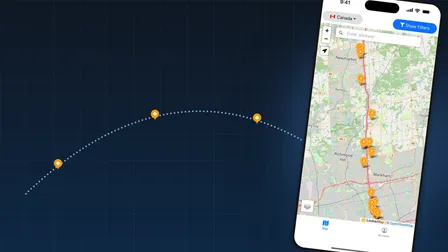
Find Amazon Lockers Along Your Route with LockerMap
Plan a drive and see every Amazon Locker and pickup point along your route. Here's how LockerMap's route search works and how to use it on your next trip…
How to Find Amazon Lockers at Truck Stops
Many truck stops have Amazon Lockers nearby. See which travel-center chains (Love's, TA, Pilot and more) have them and how to find lockers along your route…